
Your AP process is email chains, manual entry, and late payments. Replace it.
Invoices arrive by email. Someone re-keys the details into a spreadsheet. Someone else approves over email. Payment is manual. Reconciliation happens weeks later. Every step is a delay, an error risk, and a cost.
Automate your next bill run ➜
Australia's favourite.
Trusted by organisations managing distributed teams and multiple budgets.































Manual bill processing costs $27 per invoice. Budgetly cuts that to near zero.
Every invoice your finance team processes manually burns time on data entry, approval chasing, payment execution, and reconciliation. Budgetly automates the entire lifecycle. Drop a bill onto the dashboard or forward it to Buddy AI by email. Your personal assistant extracts the supplier, amount, due date, and GST. Approval workflows route it to the right person. Payment goes out in one click. The transaction arrives in Xero coded, categorised, and ready.
What changes when bill payments are automated
Every manual invoice is a compliance risk, a delayed payment, and wasted finance hours.
Forward a bill to Buddy AI. It handles the rest.
Drop an invoice onto the Budgetly dashboard, or forward it to Buddy AI by email. Your personal assistant extracts the supplier name, amount, due date, line items, and GST. No manual data entry. No re-keying from a PDF into a spreadsheet.
“I can forward 20 bills from my email and it auto extracts and pays them.” — Kevin K, Director, KVK Media
See Buddy AI ➜
Every bill is evaluated before money moves.
Budget, approval workflow, spend limits, supplier verification. Conditions are checked before any payment is authorised. If the budget is exhausted or the supplier is new, the system flags it. Your finance team defines the rules once. Every bill that follows is evaluated against them automatically. No email chains. No spreadsheet approvals. The decision happens inside the system.
See real-time spend control ➜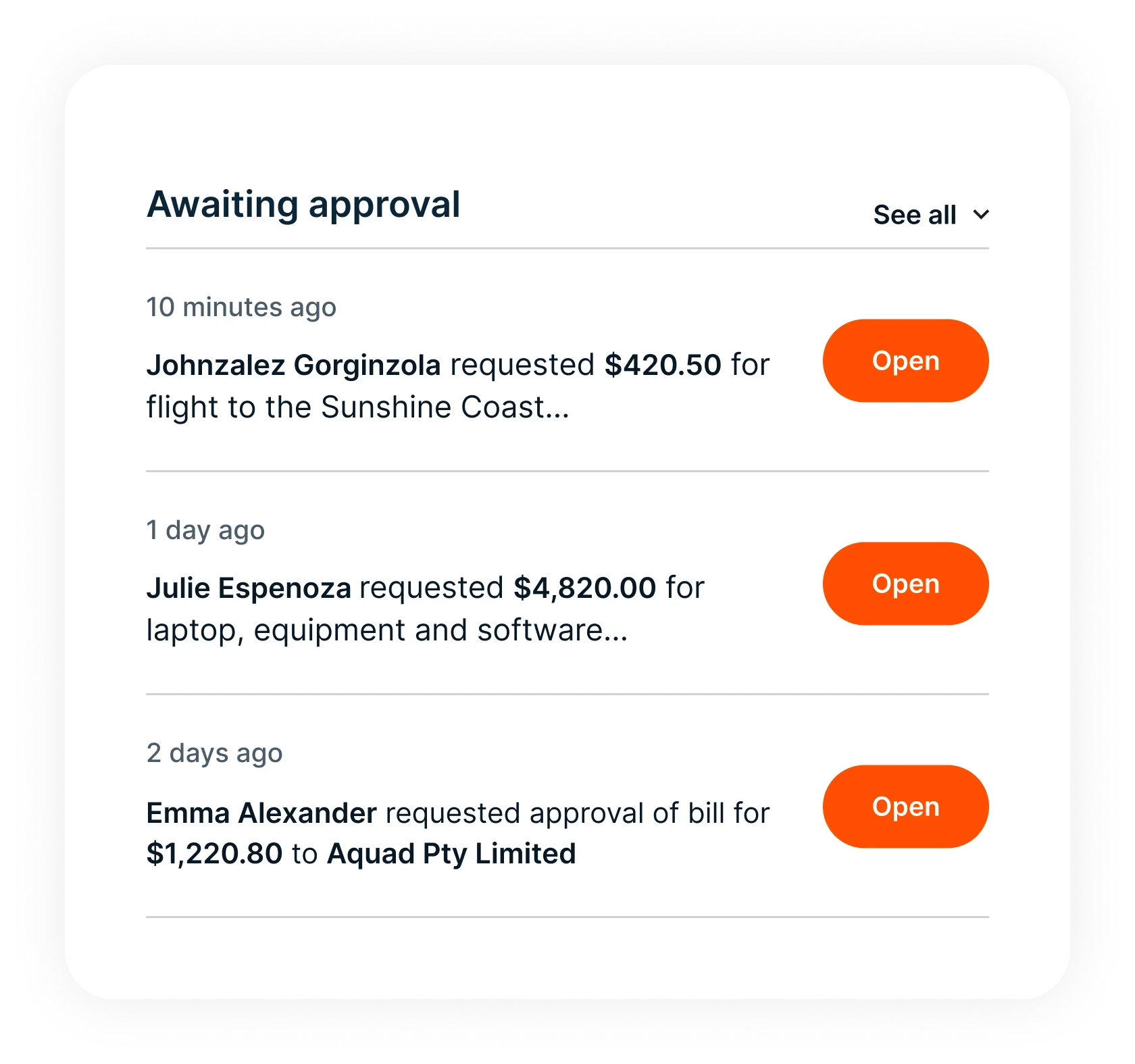
Four ways to pay. One click each.
Once approved, choose how to pay: BPay, PayID (email, mobile, ABN, or Organisation ID), AUD bank transfer, or your Budgetly Visa card. Payment executes from within Budgetly. No logging into your bank. No re-entering details.
Start free trial ➜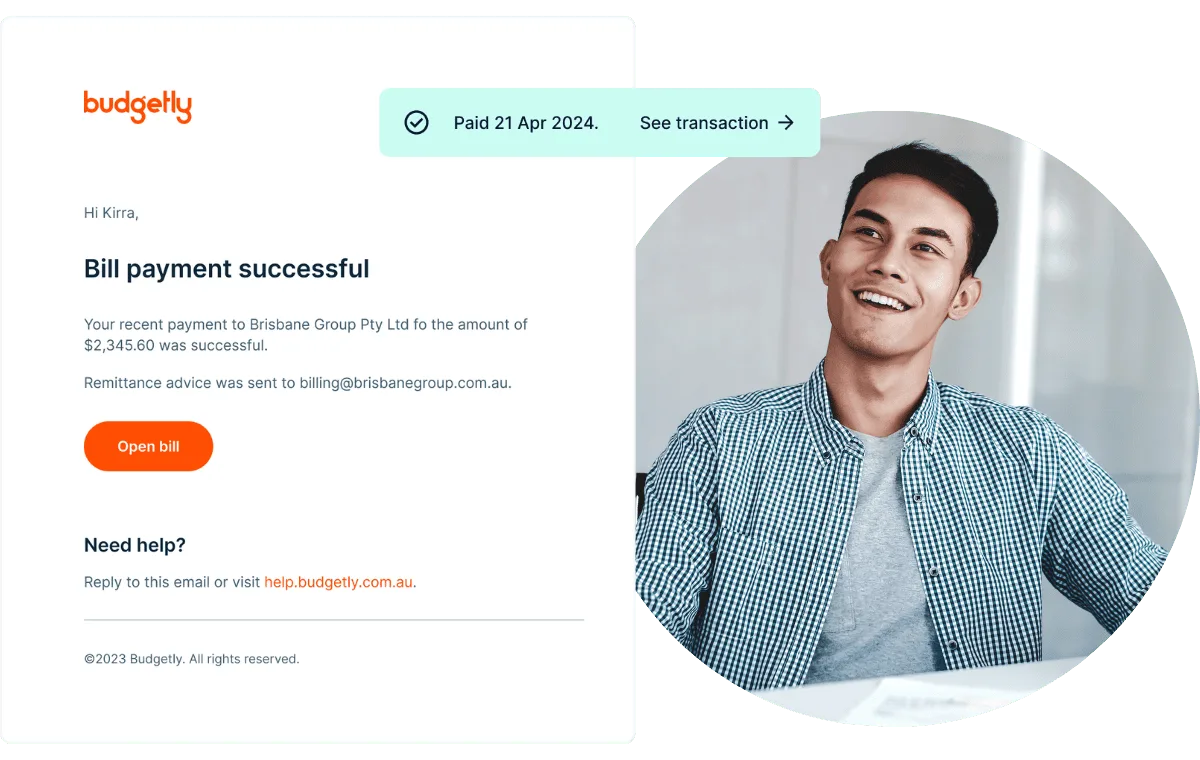
Every bill lands in Xero coded. AI gets sharper every time.
The transaction syncs to Xero with the supplier mapped as a Contact, the category mapped to your Chart of Accounts, GST applied, and the invoice attached. No reconciliation needed. Bookkeeper AI learns from every bill, refining categories and flagging anomalies. Each payment strengthens the next decision.
See Xero integration ➜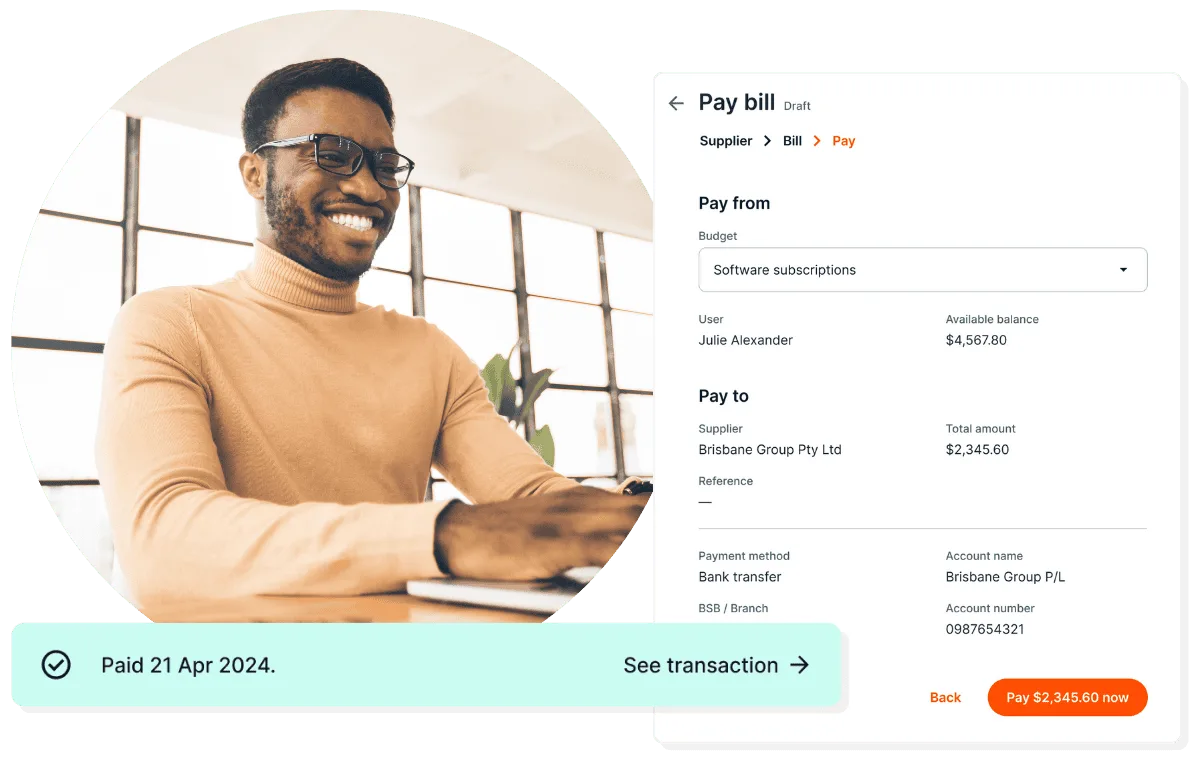
Trusted by teams across Australia
 Read verified reviews ➜
Awards and recognition





Most companies still manage spending the hard way.
Finance teams are expected to control spending, but the tools they use were never built for it. Staff share corporate cards, receipts arrive weeks late, reimbursements are manual, budgets live in spreadsheets, and bookkeepers reconstruct reality after transactions occur.
Modern companies manage spending before it happens.
Instead of reacting to expenses after the fact, finance teams now control spending at the moment it occurs. Budgetly enables this shift. Spending rules, budgets, cards, and expense capture operate inside a single platform, giving finance teams live visibility and control.
Frequently asked questions
What is Budgetly Bill Payments?
How does AI bill capture work?
What payment methods does Budgetly support for bills?
How do approval workflows work for bills?
Does Budgetly detect invoice fraud?
How does Bill Payments sync with Xero?
Can I manage cards and bills in the same platform?
How much does Bill Payments cost?
How do I get started?
Customer Stories

Arkana Energy Group reduced non-essential spending by up to 50% with Budgetly
Arkana Energy Group reduced non-essential spending by up to 50% with Budgetly. Physical cards and budget controls made …

Teach For Australia cuts expense management time in half
Read how Teach For Australia Cuts Expense Management Time in Half with Budgetly

Bennett and Bennett Erase Spreadsheets and Saves a Day in Admin
Read how Bennett and Bennett removed spreadsheets from their expense management system and saved one day in admin.

Koiop Connect Saves One Day a Week on Expense Reconciliation
Read how NDIS provider Koiop Connect saves one day a week on expense reconciliation with Budgetly.
Stop re-keying invoices. Automate your next bill run.
Forward a bill to Buddy AI, your personal assistant extracts the details, approval routes automatically, payment goes out in one click.
See how it works in 15 minutes ➜